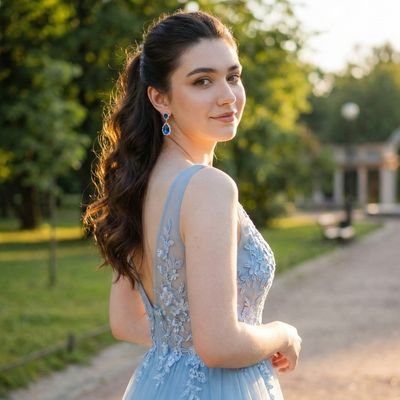
Why this pack works
Most AI image prompts try to make a picture look cleaner, sharper, or more professional. This pack works because it does the opposite: it asks GPT Image 2 to make an image look intentionally bad, childish, clumsy, and handmade.
That reversal is the joke. A polished source image becomes a terrible mouse drawing, a five-year-old crayon scribble, or a cute profile illustration that feels like it was made on paper. The output is instantly understandable, easy to remix, and perfect for before/after posts.
Use this pack when you want an uploaded photo, product image, character, pet, screenshot, or profile picture to become deliberately unserious: bad MS Paint, messy crayon, or charming childlike illustration.
The creative pattern
The current pack is not just one MS Paint prompt anymore. It now covers a small family of intentionally low-skill redraw styles:
• MS Paint redraws: white background, shaky mouse lines, awkward proportions, and low-quality pixel-by-pixel humor.
• Five-year-old crayon drawings: distorted shapes, colors outside the lines, and the “proud parent puts it on the fridge” feeling.
• Crayon illustration profile pictures: softer, cuter, more decorative results for avatars and social profiles.
X signal
The anchor MS Paint redraw format and its related examples have already reached over 5M views across X, which shows how broadly this joke travels. The strongest signal is not only the traffic, but the repeatability: creators keep reusing the same mechanism with different source images.
The crayon prompts add a second lane. Instead of only making images ugly, they make them feel naive, handmade, and playful. That makes the pack useful for profile pictures, character edits, pet images, product mascots, and softer meme formats.
What is included
5-Year-Old Crayon Drawing Style: a messy childlike crayon redraw format with hilariously wrong proportions and colors outside the lines.
GPT Image 2 MS Paint Drawing Prompt: the main viral template for converting any uploaded image into a deliberately terrible Paint-style drawing.
Crayon Style Illustration Profile Picture: a cute, colorful crayon illustration style for avatars, faces, and profile-picture experiments.
MS Paint Style Redraw: a meme-friendly rewrite that emphasizes scribbly shapes, awkward proportions, and comparison-style humor.
Intentional Low Quality MS Paint Redraw: a more flexible low-quality Paint interpretation that works well for characters, objects, screenshots, and product images.
How to use it
1. Start with a clear source image. The cleaner the original, the funnier the bad redraw usually becomes.
2. Choose the flavor: MS Paint for chaotic meme energy, five-year-old crayon for maximum childishness, or crayon illustration for a softer avatar style.
3. Ask the model to preserve the main subject, pose, and rough composition, but redraw everything with clumsy lines and intentionally imperfect proportions.
4. For social posts, place the original and the redraw side by side. The contrast is what makes the format easy to understand in one glance.
Best use cases
• Before/after meme posts
• Ugly profile-picture variants
• Crayon-style avatars and character edits
• Pet, mascot, and product redraws
• Casual campaign visuals that feel intentionally unserious
• Community challenges where everyone submits the same source image
Source links
[1] GPT Image 2 MS Paint Drawing Prompt
[2] 5-Year-Old Crayon Drawing Style
[3] Crayon Style Illustration Profile Picture
[4] MS Paint Style Redraw
[5] Intentional Low Quality MS Paint Redraw


 J
J Z
Z